
Beta 0.7 · Windows · Works offline
P6 programme in.
A3 time chainage chart out.
Your programme stays on your computer. Nothing is uploaded, and nothing is written back to P6.
Request the beta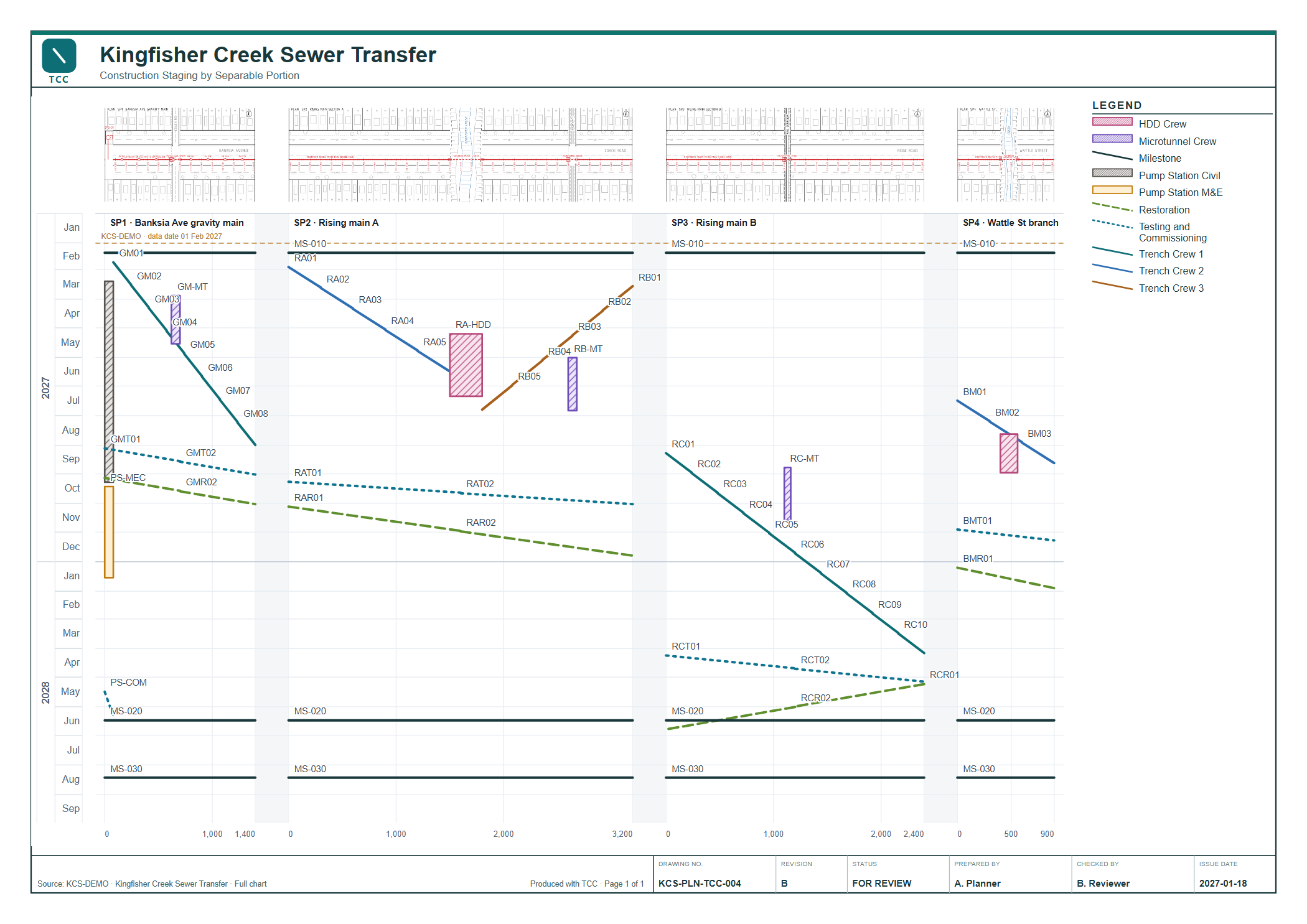
One scheme, several streets
A sewer scheme is rarely one line. The gravity main runs down one street, the rising main crosses town in two sections, a branch heads off to the next suburb. Each has its own chainage from its own zero. TCC sets them side by side on one time scale with one legend, so you can follow a crew from one portion to the next.
- SP1Banksia Ave gravity mainCH 0 – 1400
Pump station at CH 0, then trench crew 1 working upstream.
- SP2Rising main ACH 0 – 3200
Two trench crews meet at the creek. HDD under the creek, microtunnel under the highway.
- SP3Rising main BCH 0 – 2400
Trench crew 1 arrives from SP1. The microtunnel crew follows for the rail crossing.
- SP4Wattle St branchCH 0 – 900
Trench crew 2 and the HDD crew move across once SP2 is through the creek.
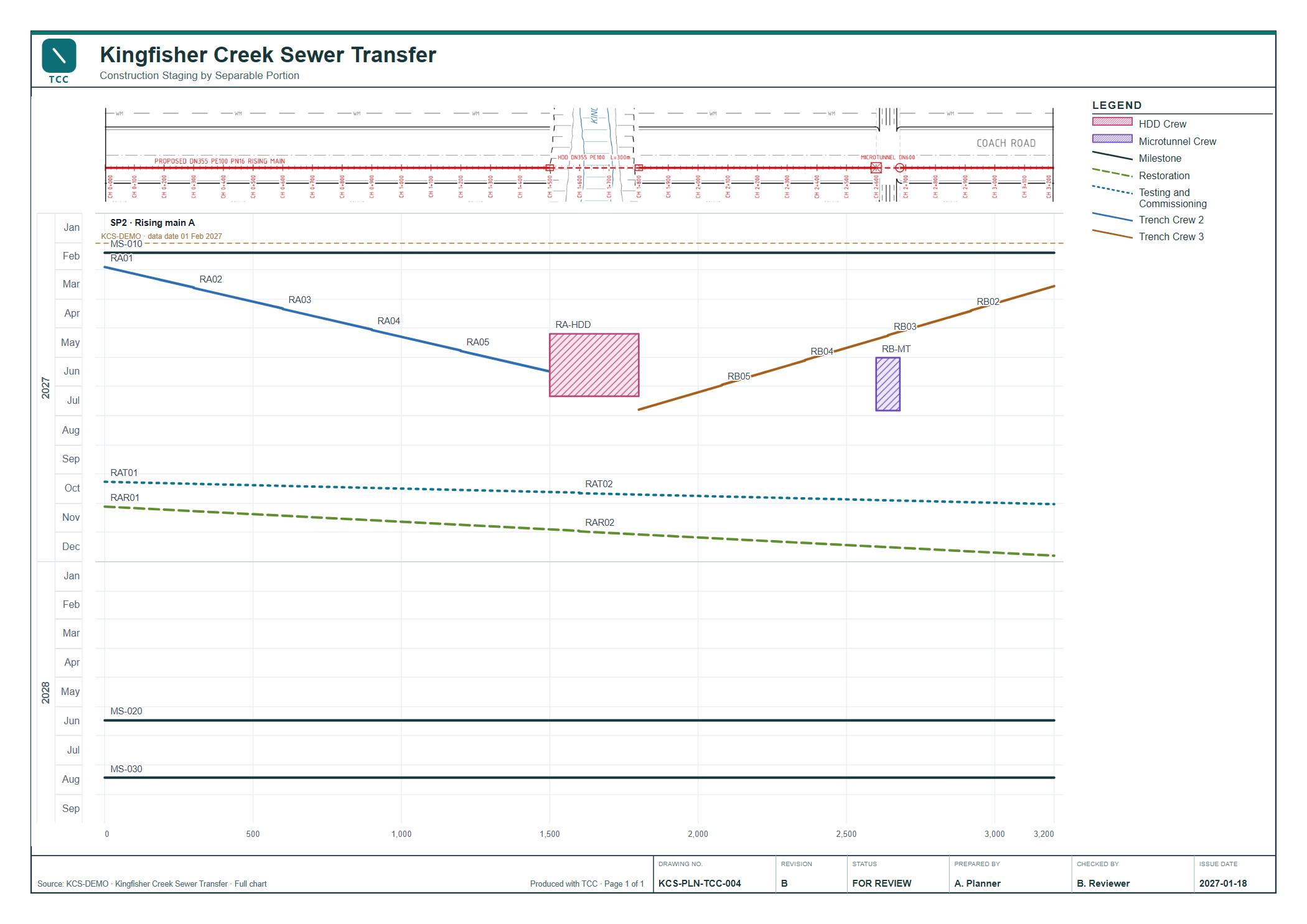
Issue one portion as its own drawing
Switch the toolbar from All areas to SP2 and the sheet follows: the rising main gets the full width, with its plan above. The title block, legend and notes come with it.
- Portion code
- From a P6 activity field, or assigned in TCC
- ALL
- Milestones coded
ALLrun across every portion - Plan strip
- Your IFC plan above each portion, registered to its chainage
How it works
-
Step 1
Open the programme
A P6 Professional database or an XER export. TCC reads it read-only and keeps its own snapshot.
-
Step 2
Map the locations
Point TCC at the field that holds the location, such as
CH1200-CH1800, and the one that holds the portion. Work types become line and block styles. -
Step 3
Print the sheet
A3 or A4 PDF with legend, title block, logos, drawing number and revision. PNG and SVG for reports.
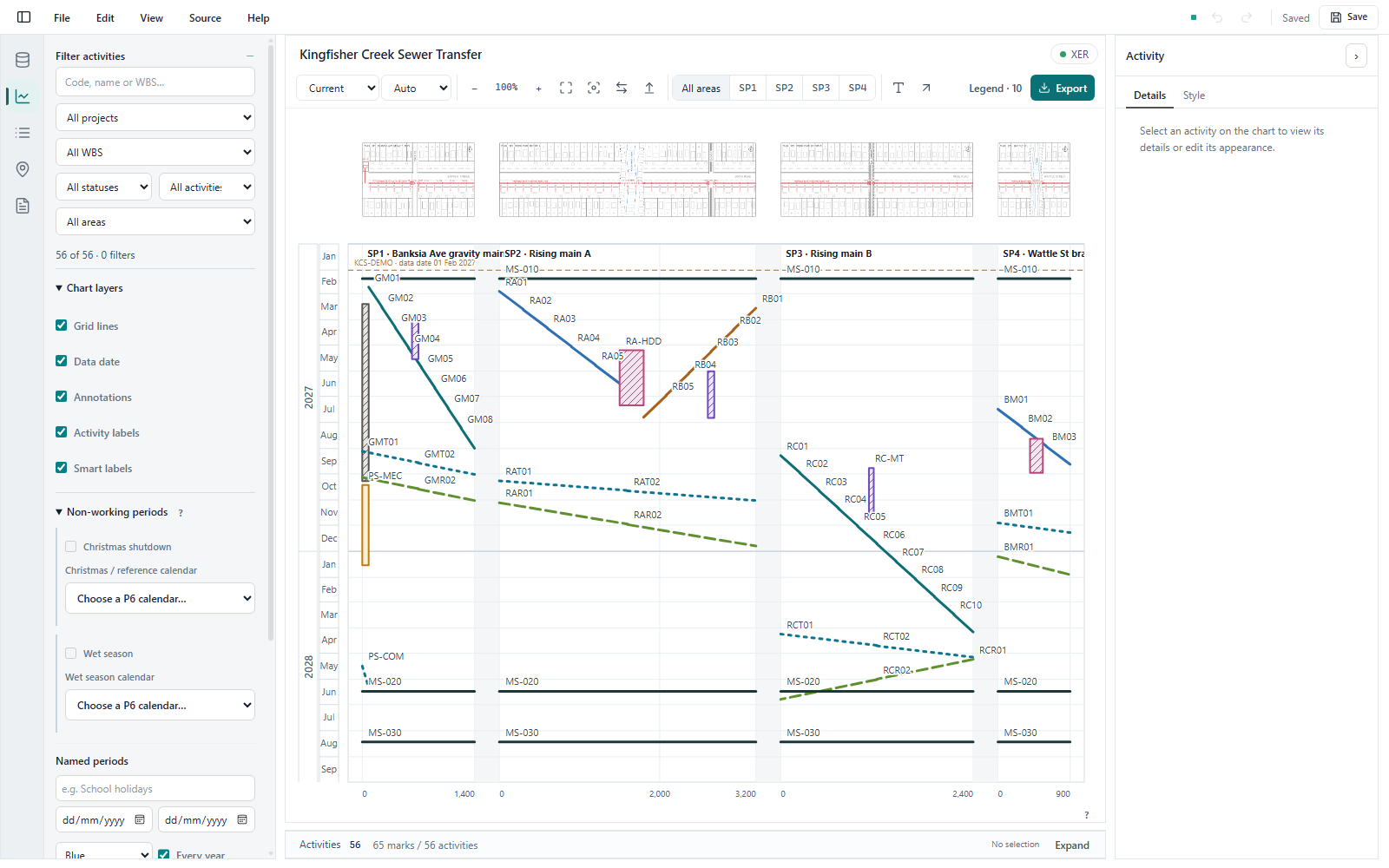
A Windows program, not a website
No account, no upload. The programme, the chart and the saved workspace stay on your machine. Reopen the workspace when the next P6 update comes in and the mapping is still there.
- Crews
- Style a work type once; every activity in it follows
- Time axis
- Runs down, or up for work that climbs, such as dam lifts
- Title block
- Drawing number, revision, status, checked by, up to three logos
- Workspace
- One
.tcc.jsonfile per chart
Private beta
Free while the beta runs
TCC is being used by a small group of planners. Email your name and company and we will send a download link.
Request the beta- System
- Windows 10 or 11, 64-bit
- Also needs
- Edge WebView2 and .NET Framework 4.6.2 or later. Most Windows PCs have both.
- Reads
- P6 Professional database, or an XER export
- Internet
- Not needed
Questions
What counts as a separable portion?
Any part of the job you want on its own axis: a pipeline, a plant, a pump station, a branch line. In TCC it is called an area. The code can come from a P6 activity field or be assigned in TCC.
Will TCC change my P6 programme?
No. P6 databases and XER files are opened read-only. Mapping and styles live in TCC's own workspace file.
Does TCC reschedule anything?
No. P6 stays the scheduling tool. TCC draws each activity from its P6 dates and its mapped location.
Some activities have no location. Is that a problem?
No. Design, procurement and approvals usually have none. TCC charts the activities that do and leaves the rest off the drawing.
Is my project data sent anywhere?
No. Everything runs on your computer.
What will it cost?
Nothing during the beta. Pricing will be announced before it ends.